Price Preview: Show Your Shopify Discount Before They Add to Cart

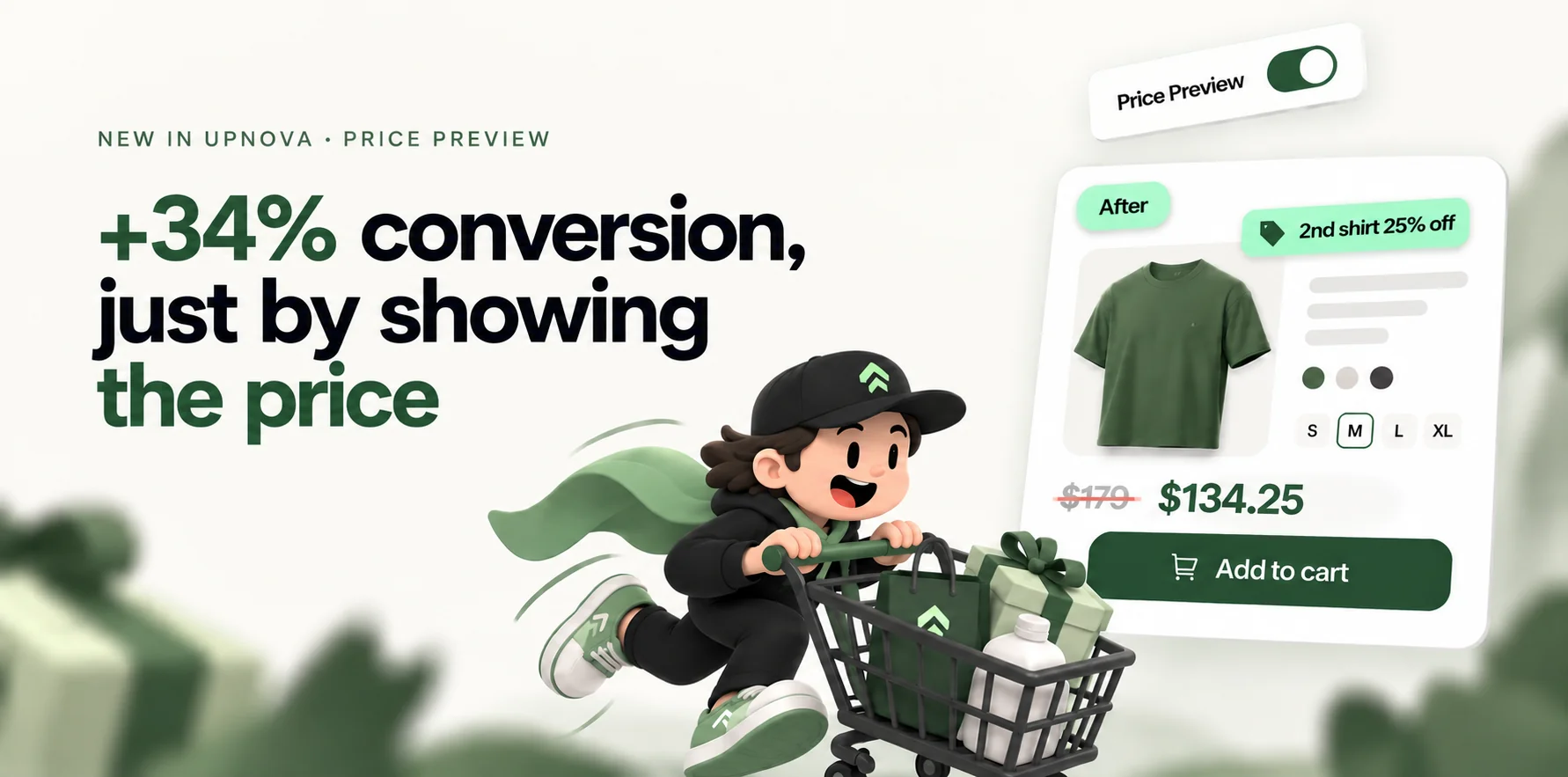
+34% conversion rate. +30% revenue per visitor. That’s what menswear brand Stantt saw in an A/B test after flipping one toggle in Upnova.
The toggle is Price Preview.
Price Preview is an Upnova feature that shows your volume offer’s discounted price on the Shopify product page, before the shopper adds to cart. Without it, the deal stays hidden until the cart.
The problem
Your volume offer is working. Shoppers just aren’t seeing it.
You set up “buy 2, save 25%” and the math works. But the product page, where the buying decision happens, still says $179. The discount only appears once something is already in the cart.
A deal that shows up after the decision can’t change the decision. You can’t sell someone on an offer they never saw.
What Price Preview does
Price Preview moves your deal onto the product page, where shoppers decide:
| Without Price Preview | With Price Preview | |
|---|---|---|
| Product page price | $179, full price | $134.25, with $179 struck through |
| Deal visibility | Hidden until cart | Badge next to the price: “Buy 2, save 25%“ |
| Shopper’s question | ”Should I pay $179 for this?" | "Should I take this deal?” |
| When the offer sells | After add to cart (often too late) | Before add to cart |
| Variant changes | No price feedback | Price updates live per variant |
Switch variants and the price updates. Add a second shirt and the cart confirms the discount is unlocked. The deal stays visible from the first click to checkout.
Why showing the price early works
Shoppers don’t stop to calculate offers or read the fine print. They react to a price that looks like a deal.
$179 struck through next to $134.25 says “deal” at a glance, with no reading or math required. And it changes the question in the shopper’s head. “Should I buy this shirt for $179?” is a hard question. “Should I take this deal?” is an easy yes. Same product, same discount, different decision.
Why the badge does the selling
A badge reading “Buy 2, save 25%” next to the price tells the shopper exactly what to do next: add a second one.
Vague discounts get ignored. A badge that names the deal and what unlocks it turns a passive price into a clear next step.
See it in 21 seconds: the price drops from $179 to $134.25 the moment the toggle goes on.
The proof: Stantt’s A/B test
Stantt turned on Price Preview and A/B tested it against their existing product page over 30 days.
| Metric | Result |
|---|---|
| Conversion rate | +34% |
| Revenue per visitor | +30% |
“I think it’s an absolute no-brainer to add Upnova to your ecommerce tech stack.”
— Matt, CEO of Stantt
That lift didn’t come from new traffic, new creative, or a bigger discount. It came from showing an offer Stantt already had. It’s about the cheapest conversion gain you can get.
How to turn on Price Preview
- Set up a volume offer in Upnova (buy X, save Y). Price Preview displays a deal, so you need one to display.
- Toggle on Price Preview in the Upnova app in your Shopify admin. No theme edits, no code, no developer.
- Check your product page. You should see the discounted price, the strikethrough, and the badge. If the deal is clear to you at a glance, it will be to your shoppers too.
Once both are on, discounted prices go live on your product pages, collection pages, and cart right away.
Enable Price Preview in UpnovaFAQ
Do shoppers see the discounted price before adding to cart?
Yes. The product page shows the discounted price with the original struck through, plus the offer badge, before anything is added to cart.
Do I need to edit my Shopify theme?
No. Price Preview is a toggle in the Upnova admin. No code and no theme changes.
Does it work with tiered offers, not just “buy 2, save 25%”?
Yes. Price Preview works with volume and tiered offers, and the price updates as shoppers pick variants.
Can I show it on collection pages too?
Yes. Discounted prices show on product pages, collection pages, and in the cart.
Can Upnova help me choose the right offer?
Yes. Book a free strategy call: we review your store and your offers, and you leave with a concrete plan, whether or not you use Upnova.
Enable Price Preview in Upnova